Varmo works with your tools.
Varmo connects to Microsoft 365 (Entra ID, Teams, Intune), Jira Cloud and ServiceNow, and through its REST API and webhooks to your own systems as well. Varmo only reads from Jira, ServiceNow and Intune and changes nothing there.

Every integration has its own guide; the word on the tile shows the direction.
Identity and access
Sign-in and people from your company directory.
IT operations and inventory
Bring in existing lists; tasks, changes and devices from JIRA, ServiceNow and Intune – read-only there.
CSV import
Bring in your existing Excel lists, with a preview and undo.Direction: filefrom Starter
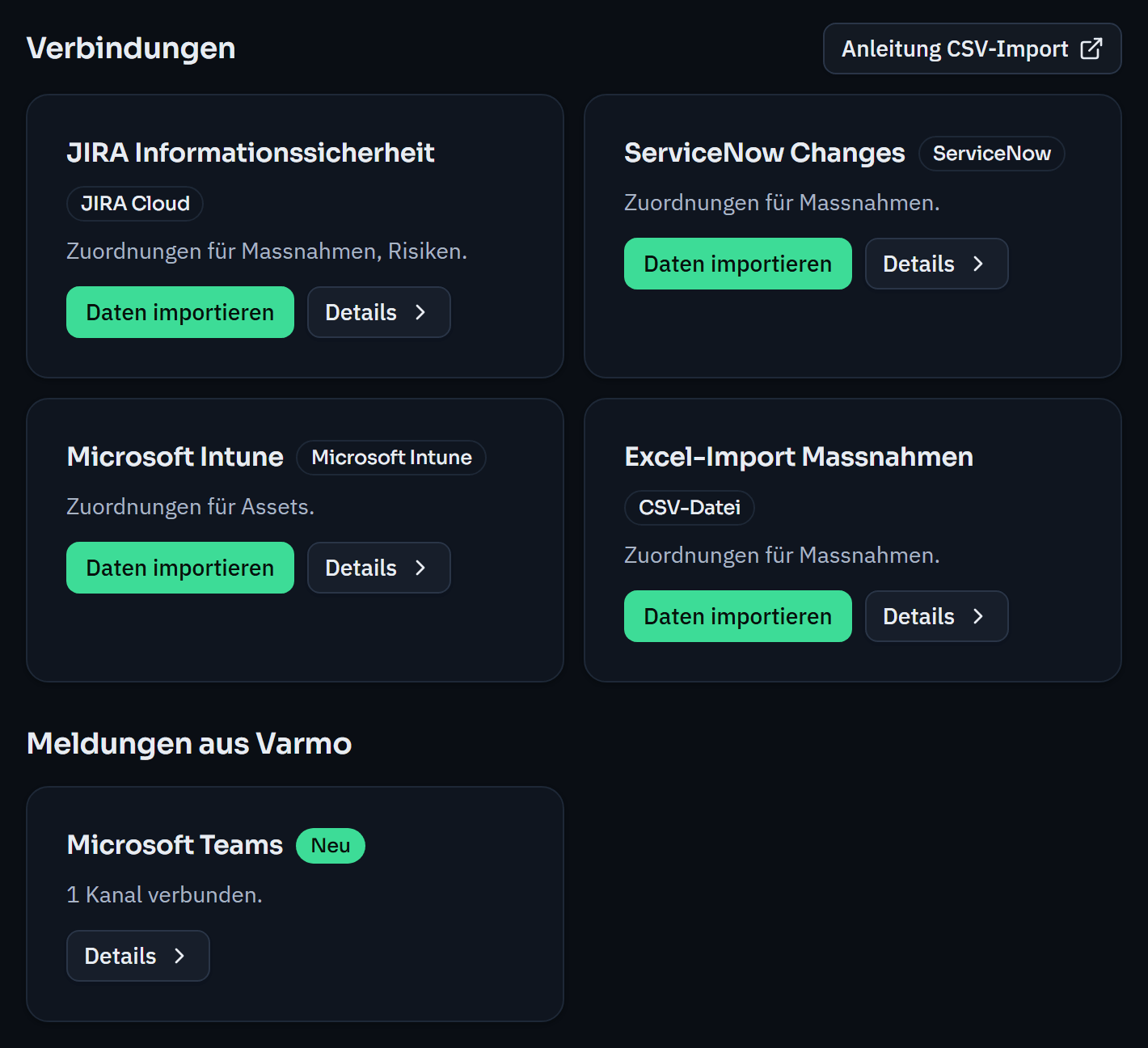
Microsoft Intune
Managed devices become assets, as groups or individually.Direction: readsfrom Pro
ServiceNow
Changes and tasks become measures, CMDB items become assets.Direction: readsfrom Pro
JIRA Cloud
Security tasks from JIRA appear as measures, risks or findings.Direction: readsfrom Pro
Collaboration
Notifications, deadlines and evidence where your team already works.

Microsoft Teams
Pending approvals, incidents and overdue tasks appear in the channel, with just a reference and a link.Direction: sendsfrom ProCalendar subscription
Your deadlines appear in your calendar, for example in Outlook, Google or Apple Calendar.Direction: subscriptionall plansEvidence as a link
Evidence stays in your own storage, and Varmo links to it.Direction: linksall plans
Your own systems
Your own connections via REST API and webhooks.
Microsoft, Entra, Intune and Teams are trademarks of Microsoft Corporation; JIRA is a trademark of Atlassian; ServiceNow is a trademark of ServiceNow, Inc. Their mention does not imply a partnership. Which integration is included in which plan is also shown in the plan overview.
Everything in one place
Under ISMS settings › Integrations you see every connection with its mappings and start imports; notifications to Microsoft Teams are set up on the same page.
How every import works
- Choose the source: CSV file, JIRA, ServiceNow or Intune
- Map the fields
- Map values and people
- Check the preview and import
Every import can be undone. Guides: CSV · JIRA · ServiceNow · Intune
Security of the integrations
More on sign-in, separation of organisations and operations on the Security page.
- Read-only: From JIRA, ServiceNow and Microsoft Intune; nothing changes there.
- Access per key: For each API key, you decide which areas it may read or edit.
- Approvals by people only: Approvals, assessments, permissions and settings remain reserved for people in Varmo, including via the API.
- Signed webhooks: HMAC-SHA256; they only contain the event, time, type and ID.
- Keys stored as a hash: Varmo stores only a hash of each key; with an expiry date and revocable at any time.
- Logged: Changes made via integrations appear in your organisation’s change log.
Frequently asked questions about the integrations
Which integrations are included in which plan?
The calendar feed and evidence as a link are available in all plans, import from CSV from Starter. Import from Jira, ServiceNow and Microsoft Intune, single sign-on and people from Microsoft Entra ID, notifications in Microsoft Teams as well as the REST API and webhooks are included from Pro.
Does Varmo write back to Jira, ServiceNow or Intune?
No. Varmo only reads from these systems and changes nothing there. If someone changes an imported entry in Varmo, the entry’s page shows the conflict and you decide which version applies.
Can we complete approvals through the API?
No. Through the REST API, your systems read and record data within the permissions of their key. Approvals, assessments, permissions and settings remain reserved for people in Varmo.
Do we need Microsoft 365?
No. Import from CSV, the REST API, webhooks, the calendar feed and evidence as a link work independently of it. For further connections to your specifications, there are custom solutions.
How close are you to ISO/IEC 27001?
In a personal demo, we show you the way to the readiness report, with no obligation. Or try it free for 30 days with every feature.