Roles & approvals
Who may do what, and who approves.
An assistant takes you step by step to a working ISMS. After that, everyone knows what to do next, and management sees on the dashboard where the ISMS stands.
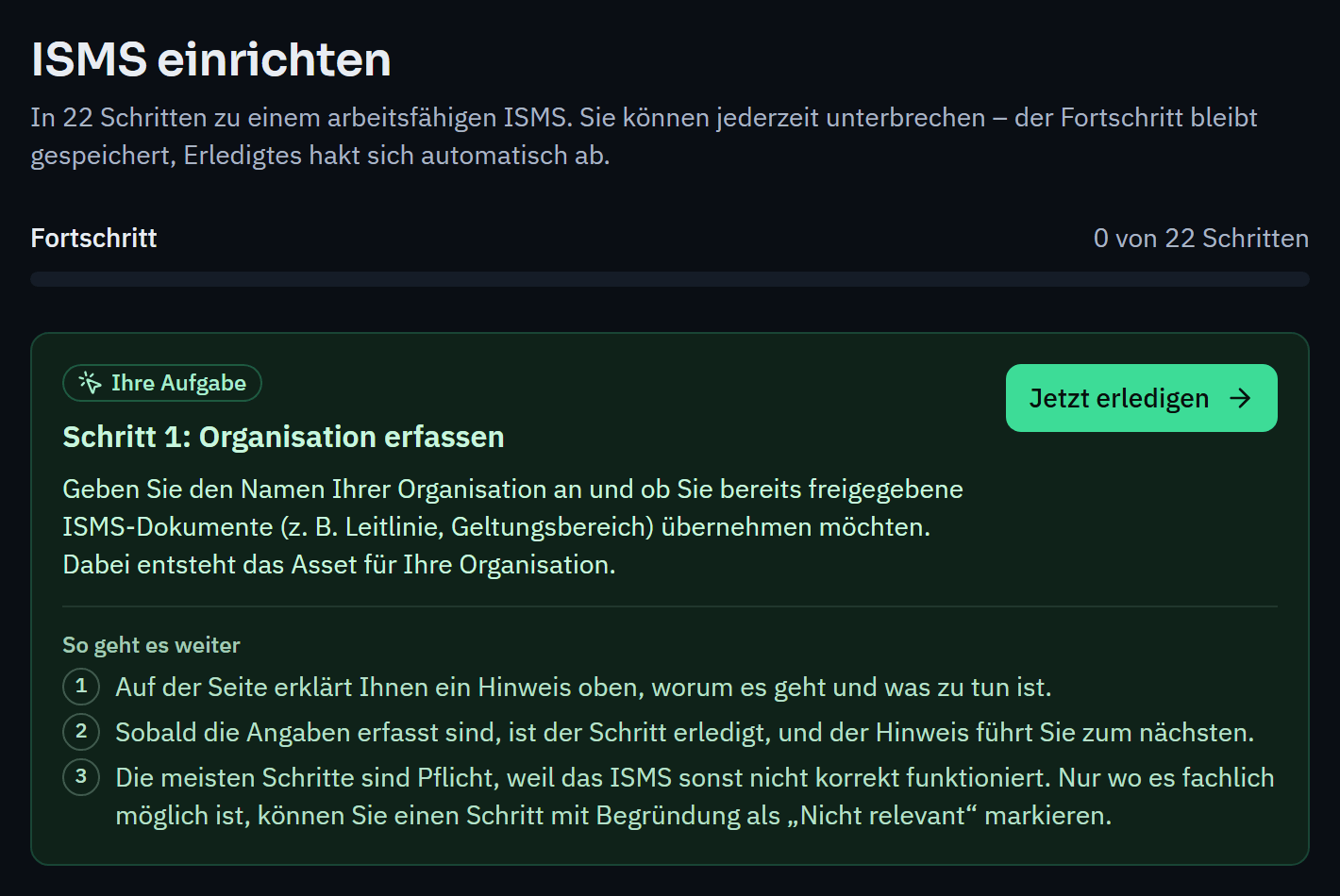
The setup assistant starts with your organisation and leads you through context, approvals, risk methodology and frameworks to your first assets and reviews. Each step explains what it is about and why; completed steps are ticked off automatically.
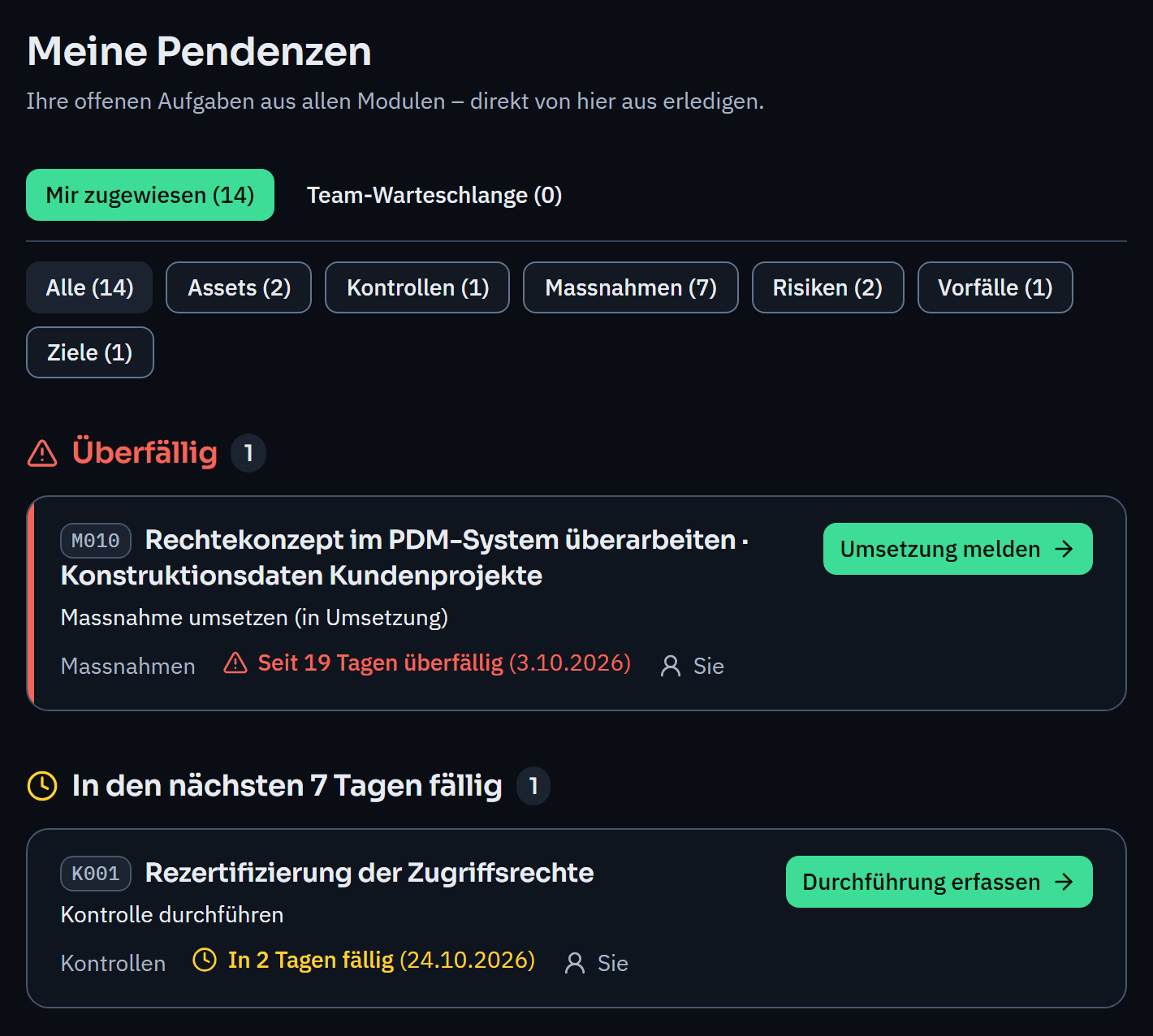
Tasks arise from the workflows: an approval, a measure that is due, a review. Every person sees their tasks in one place, with a due date and a link to the page where they get done.
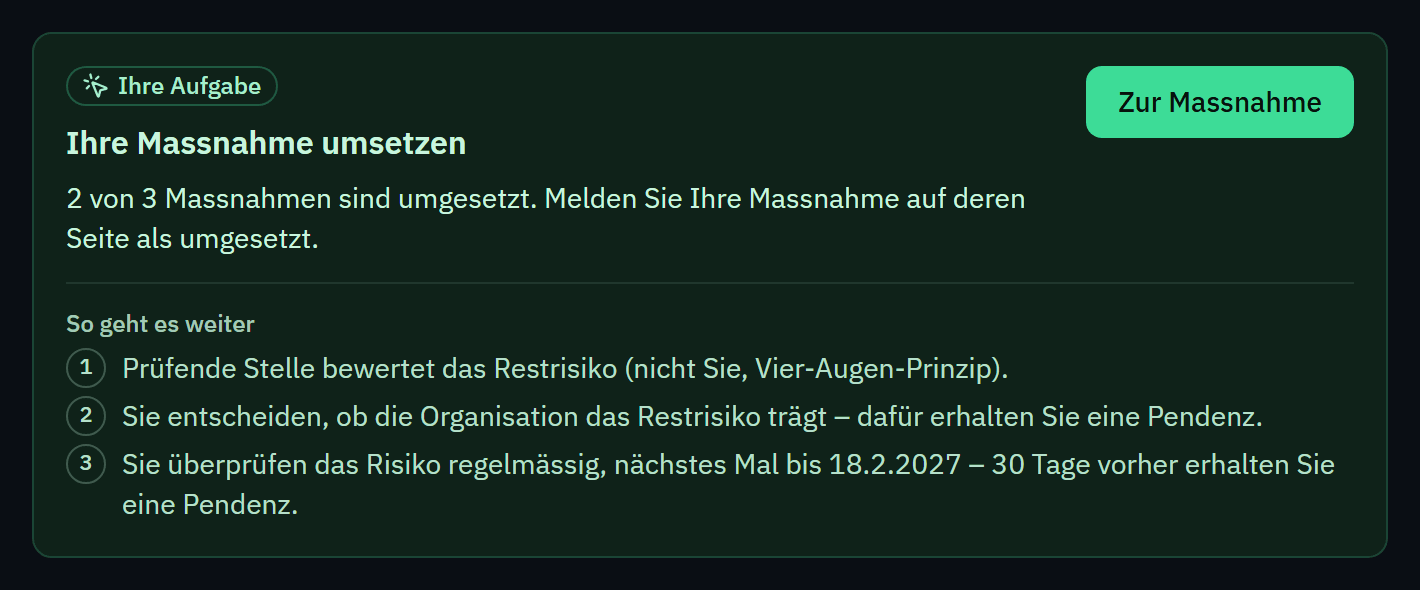
At the top of every workflow page you see whether it is your turn, who else is up and which steps follow, with names instead of roles. That way no risk, policy or incident is left lying unnoticed.
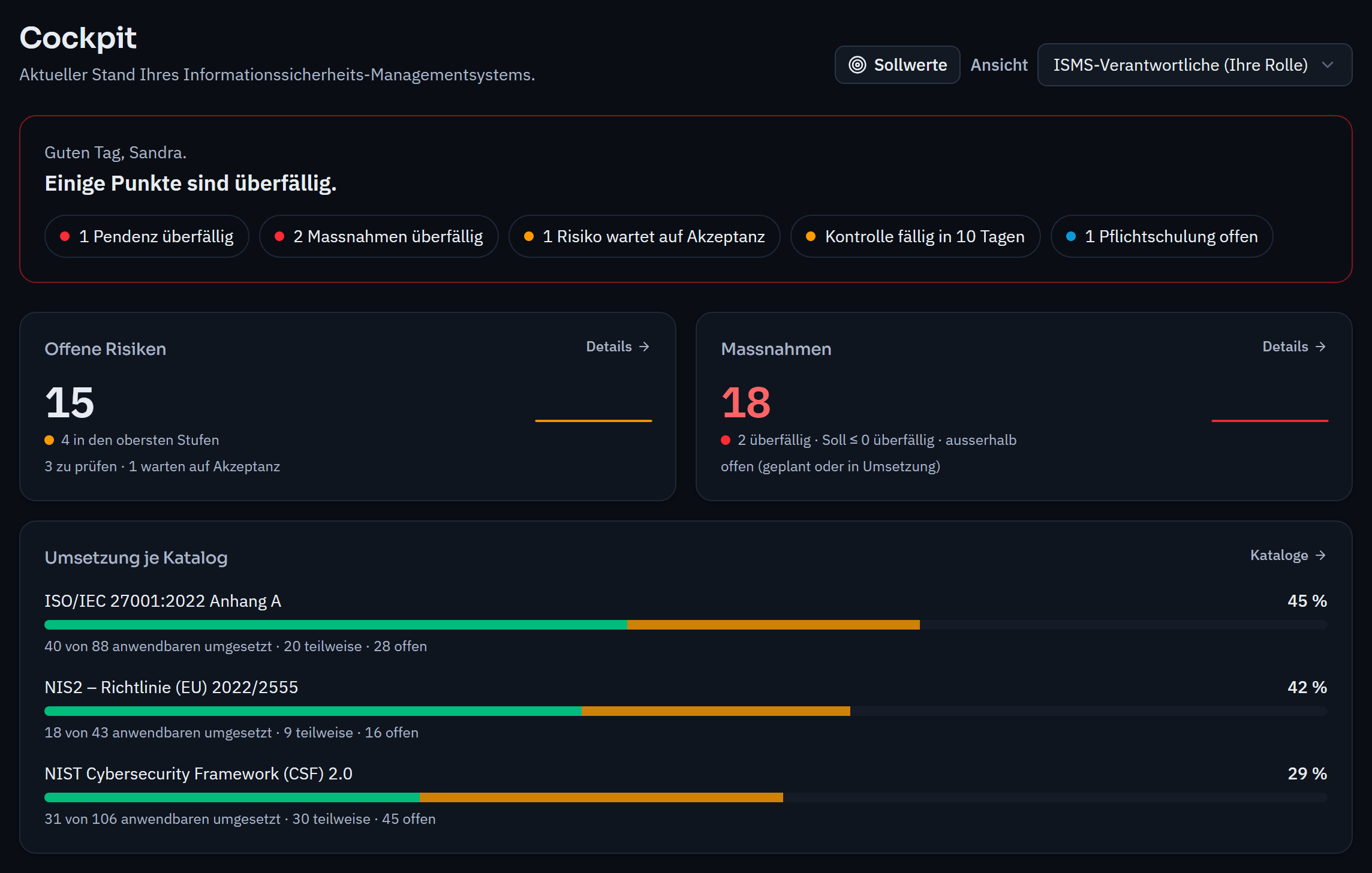
The dashboard shows each role what is open: risks, measures, findings, incidents, objectives, internal controls, training, policy acknowledgements and the implementation level of your frameworks. Key figures are measured against targets and shown over time; everyone can tailor their own dashboard.
Who may do what, and who approves.
How ready you are for certification.
A typical rollout in an SME.
That depends on your size and the groundwork you have already done. The assistant shows what comes next and saves your progress; you can stop at any time and pick up later. Existing documents that have already been approved can be adopted.
Yes, whenever they are responsible for a step in a workflow, for example as the owner of an asset, as the person responsible for a measure or to acknowledge a policy.
How close are you to ISO/IEC 27001?
In a personal demo, we show you the way to the readiness report, with no obligation. Or try it free for 30 days with every feature.